

Empower Yourself: Tools to Stop Scams
Identifying a scam is the first step; the second is using the technology available to you to prevent them from reaching you in the first place.
Block and Filter Suspicious Numbers
On Apple iPhone (iOS)
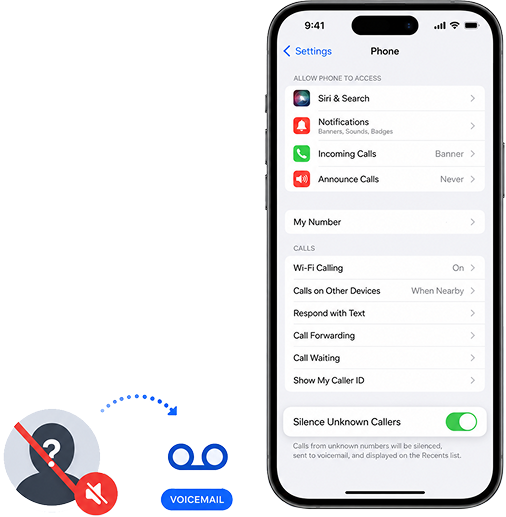
Silence Unknown Callers: Go to Settings > Phone > Silence Unknown Callers. This sends calls from numbers not in your contacts directly to voicemail.
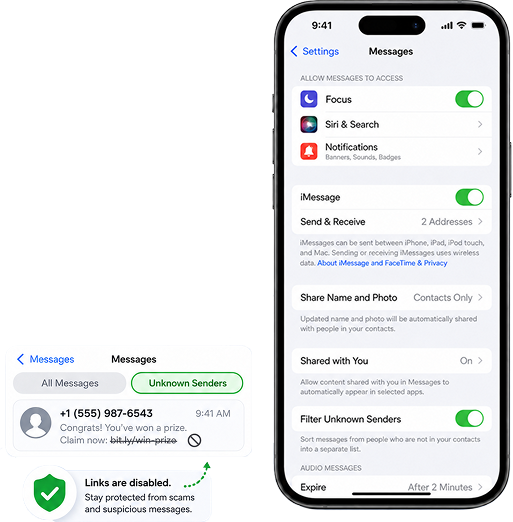
Filter Unknown Callers: Go to Settings > Messages> Filter Unknown Callers. This sends calls from numbers not in your contacts directly to voicemail.
On Android Devices
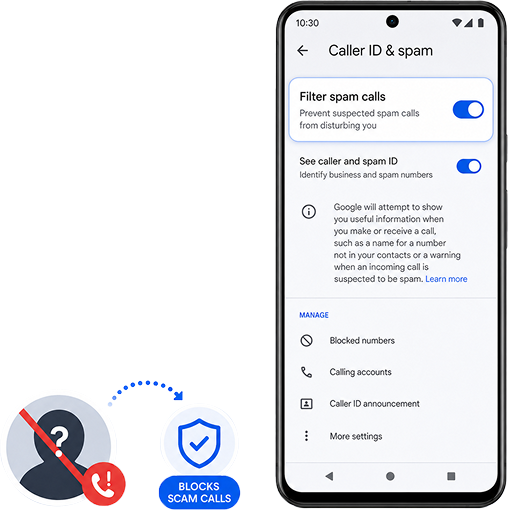
Caller ID & Spam Protection: Open the Phone app, tap the three dots (More), and go to Settings > Caller ID & spam. Turn on ‘Filter spam calls’ to prevent suspected scammers from ringing your phone.
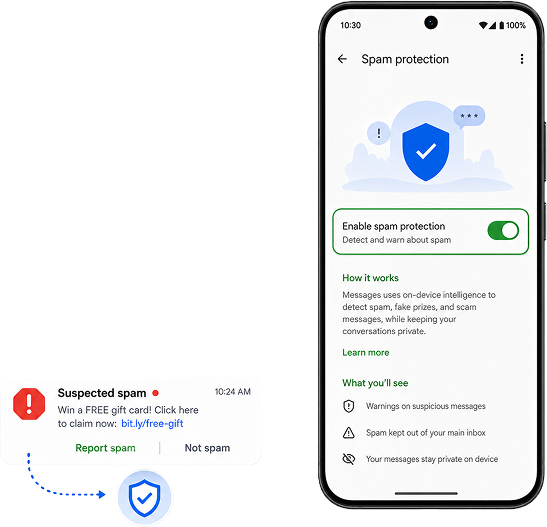
Spam Protection in Messages: Open the Messages app, go to Settings > Spam protection, and ensure ‘Enable spam protection’ is toggled on.
Reduce Your Public Exposure
Scammers often find your number through public listings or data breaches.
Do Not Call Register: Add your private landline and mobile numbers to the official Australian Do Not Call Register. This is a free service that makes it illegal for most telemarketers to contact you.
Check for Data Breaches: Use reputable services like Have I Been Pwned to see if your email or phone number has been leaked in a corporate data breach. If it has, be extra vigilant for “personalized” scams that use your name.
The"Stop. Check. Protect." Framework
STOP: Don’t give out any information or click any links. Scammers rely on creating a sense of urgency to bypass your logic.
CHECK: Verify who you are talking to. Call the company back on a number you found yourself (on an official website or a paper bill). Never use the contact details provided in the suspicious message.
PROTECT: If you think you've been targeted, act fast. Report the scam to Scamwatch and Occom, and tell your friends and family so they aren't targeted next.