

Can Your Mobile Still Call Triple Zero?
Triple Zero (000) is for life threatening or time critical emergencies requiring police, fire or ambulance. Calls are free. In an emergency, call 000 and stay on the line.
Australia’s mobile networks have moved beyond 3G, but the change has exposed a serious issue: some mobile phones that appear to work on 4G or 5G may still be unable to make an emergency call to Triple Zero (000).
To protect public safety, the Australian Communications and Media Authority (ACMA) has introduced and strengthened rules requiring telecommunications providers to identify incompatible devices, notify affected customers and prevent mobile services from operating on phones that cannot reliably reach the Emergency Call Service.
The rules also strengthen how mobile networks must handle emergency calls during outages and how telcos communicate with customers when a significant or major outage occurs.
A phone that connects to data or shows a 4G or 5G symbol is not automatically guaranteed to support emergency calling correctly.
How can a 4G or 5G phone be incompatible?
A device may be affected when it:
- is a 3G only phone, which can no longer connect after the closure of 3G networks
- uses 3G for voice or emergency calls even though it supports 4G data
- does not support the required Voice over LTE, commonly called VoLTE, settings for its mobile network
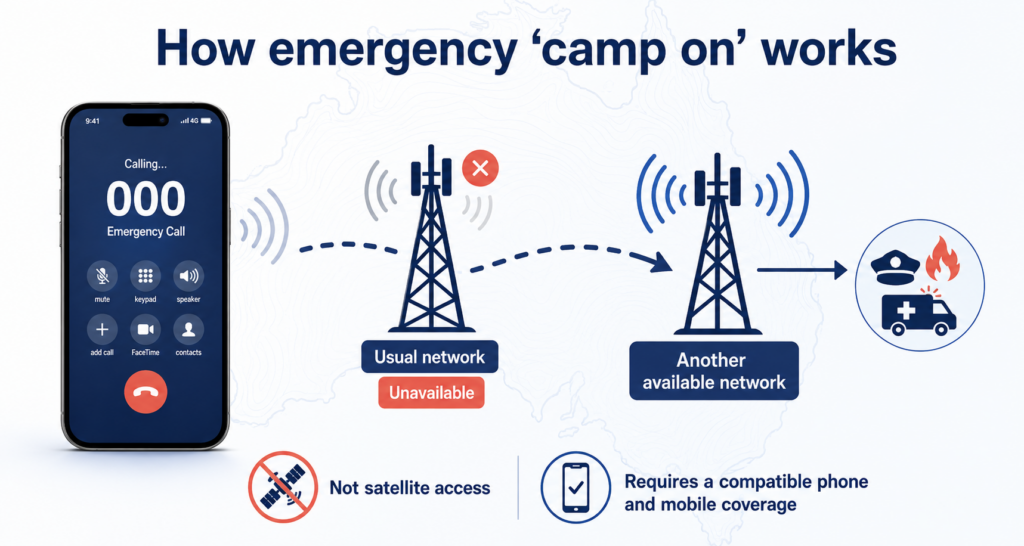
- cannot make an emergency call through another available network when its usual network is unavailable
- uses unsupported network settings, outdated software or firmware
This is why compatibility is about more than the phone’s age or the network symbol shown on the screen. The device, software, network configuration and emergency calling behaviour all matter.
What do ACMA’s new rules mean for you as a customer?
A compatibility notice is a public safety message, not a routine upgrade promotion. Your phone may continue to show signal or use some functions before it is blocked, but that does not mean it can reliably call Triple Zero.
- If financial hardship is a barrier, ask your provider about payment assistance arrangements that include handset support.
- You may be able to access information about affordable or no-cost replacement handsets if your phone cannot be made compatible.
- You will receive guidance on the right steps to take — including whether a software update or a new device is needed.
- You will be notified again if the issue has not been resolved within a set timeframe.
- You will receive a clear notification if your device is found to be incompatible with Triple Zero.
- Your device will be checked to confirm it can reach Triple Zero on its current network.
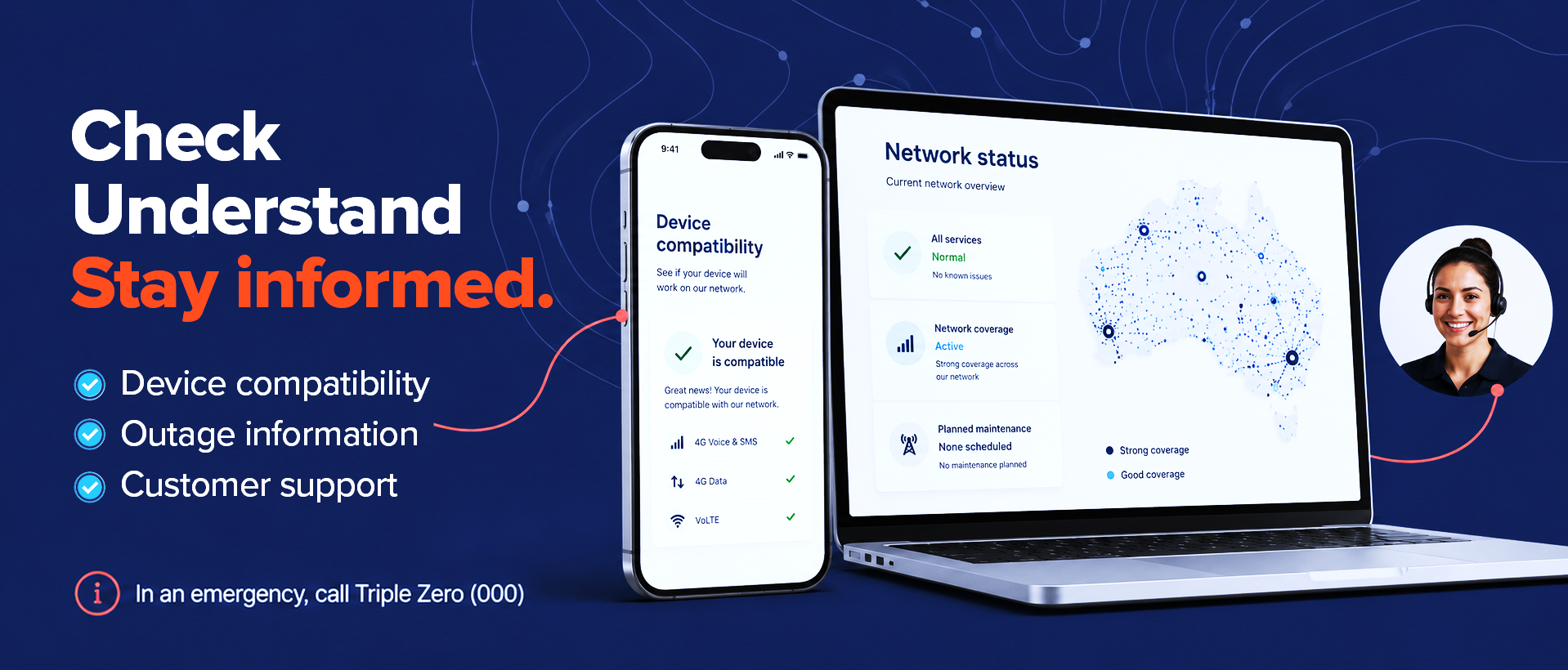
How to quickly check your device: You can easily verify your handset’s compatibility by texting the number 3 to 3498. This is a free, official industry service that will instantly reply confirming if your mobile phone is safely configured for Triple Zero calls.
What should you do if your phone is identified as incompatible?
- Read the message carefully. Confirm which mobile service and device are affected.
- Update your phone’s software. Some devices become compatible after installing the latest approved software or carrier settings.
- Follow your provider’s compatibility instructions. Device support can vary by network, model and software version.
- Replace the device if an update cannot fix the issue. Choose a phone confirmed to support emergency calling on the Australian network you use.
- Contact your provider promptly if cost is a barrier. Ask about low cost options and payment assistance that may be available.
- Keep your contact details current so you do not miss important safety notices sent by SMS,
What happens to Triple Zero calls during a mobile network outage?
How to stay informed during a major network outage
- Contact Occom Support if you are unsure whether your service is affected or need help understanding what an outage means for you.
- Keep a backup communication option available — such as a charged phone on a different network or access to a neighbour’s landline — especially during severe weather or extended outages.
- If you cannot make calls, move to an area with coverage from another network if it is safe to do so. A compatible phone can use an alternative network to reach Triple Zero even when your usual service is unavailable.
- Watch for SMS or email notifications from Occom. During a significant outage, your provider will send updates to keep you informed while the disruption continues.
- Check your provider’s network status page as soon as you notice a disruption. Occom customers can visit the Occom Network Status and Outage Updates page for the latest information.
Important facts about calling Triple Zero
- Follow the official guidance on how to call Triple Zero and Call 000 only for urgent police, fire or ambulance assistance where life or property is threatened, someone is seriously injured, or a serious accident or crime has occurred.
- Calls to Triple Zero are free from fixed and mobile phones.
- You cannot contact 000 or 112 by SMS text message.
- 112 is a secondary emergency number for mobile phones. It reaches the same Emergency Call Service and does not receive priority over 000.
- 112 does not connect an ordinary mobile phone to a satellite. Mobile network coverage is still required.
- When connected, say whether you need police, fire or ambulance, provide your location and stay on the line until the operator tells you to hang up.
- If it is unsafe to speak, listen to the operator and use the “press 55” option when instructed.
Prepare before an emergency
- keep your phone and apps updated
- keep your mobile charged and consider a charged power bank during severe weather or travel
- check the compatibility of a phone before buying it, particularly imported and second hand devices
- save your provider’s outage page and support details
- know your address or location when calling for help
- consider the Emergency+ app, which can help identify your location when calling 000
- remember that most NBN based home phone services do not work during a power outage unless suitable backup power is available
How Occom supports customers
Occom is committed to keeping customers informed about mobile compatibility, service outages and public safety requirements. If you receive a device compatibility notice, act promptly and contact our team if you need help understanding the next steps.
For outage updates, visit Occom Network Status and Outage Updates. For support, call 1300 299 999 or email support@occom.com.au. Occom support is available daily from 8:00 am to 10:00 pm AEST, including weekends and public holidays.
Frequently asked questions
My phone still makes normal calls. Does that mean it can call (000) Triple Zero?
Can a software update fix an incompatible phone?
Will 112 work when 000 does not?
Can I text Triple Zero?
Will my NBN home phone work in a blackout?